 Volume.
Audiobooks from your own server.Listen beautifully.
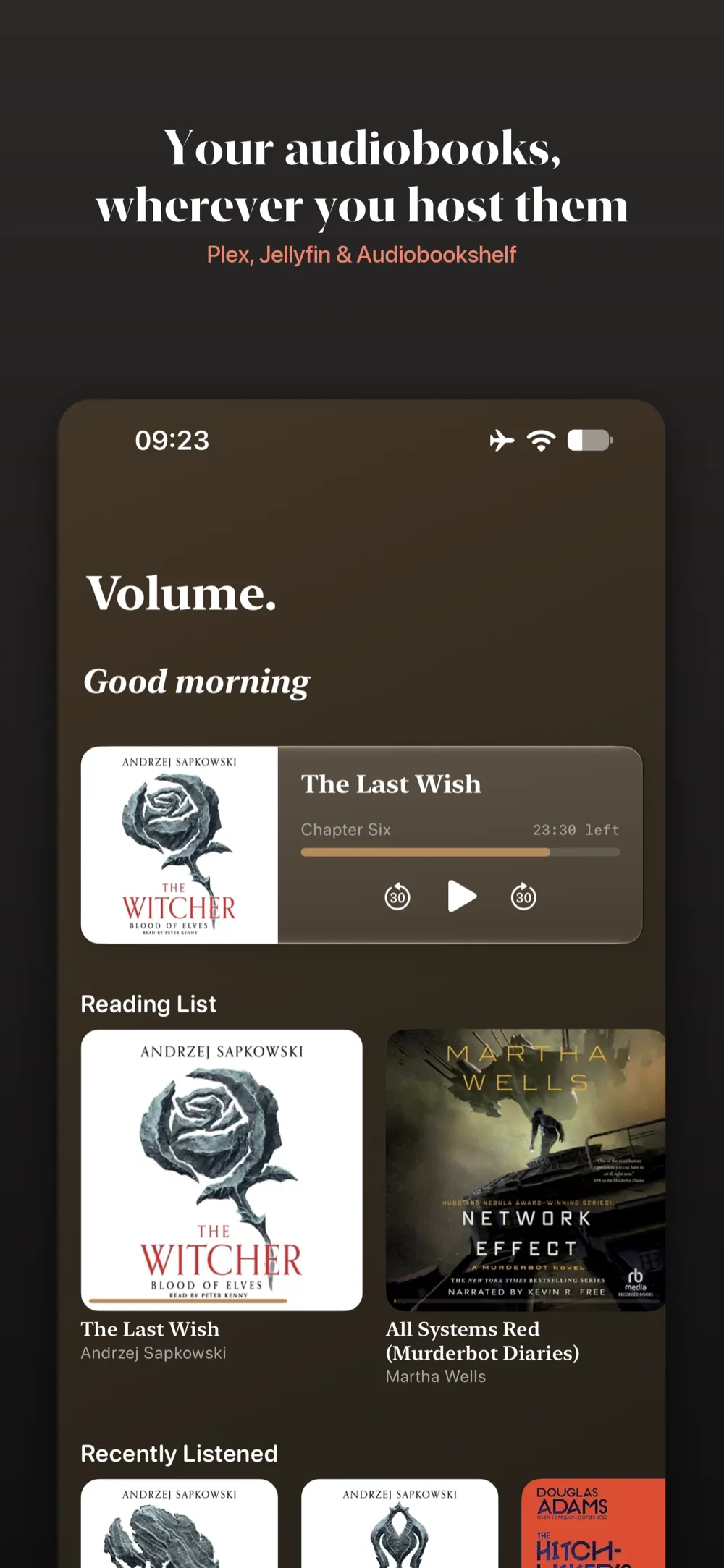
A native iOS and Android player for the library you already host. Point Volume at Plex, Jellyfin or Audiobookshelf and get chapter-aware playback, timestamped bookmarks, and a theme that repaints itself around whatever you’re reading.


Your books, Wherever you are
Volume is a native audiobook player built from the ground up for iOS and Android. It bridges the gap between self-hosted freedom — Plex, Jellyfin or Audiobookshelf — and the polished playback experience of the proprietary platforms.
It doesn't treat audiobooks like music playlists; it treats them like literature. The application adapts to how audiobooks are structured, how narrations are spoken, and how listeners interact with bookmarks, notes, and chapters.
Turn up the Volume.
Features that redefine what a self-hosted audiobook player can be.
Native UI & Custom Feeling
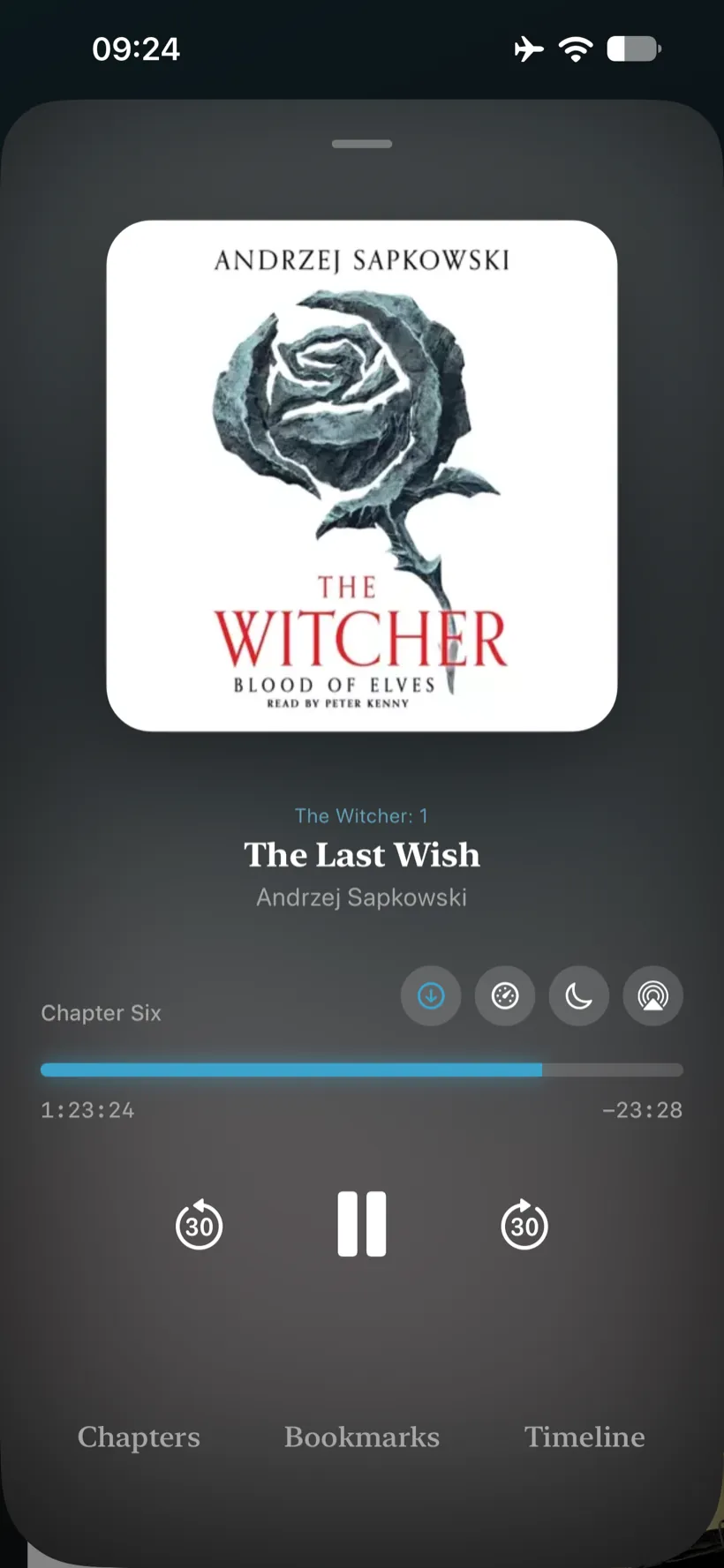
Serif typography for headers, spring-loaded animations, and play/pause buttons that morph between shapes as you toggle them. Volume is as good to look at as it is to listen to.
On Android you also get the Material 3 Expressive wavy slider, which ripples along the scrubber while audio is playing and settles flat when you pause.
On iOS the scrubber keeps a clean, flat profile in step with the rest of the system, while the same spring physics drive everything around it.
Material 3 Expressive & Dynamic themes
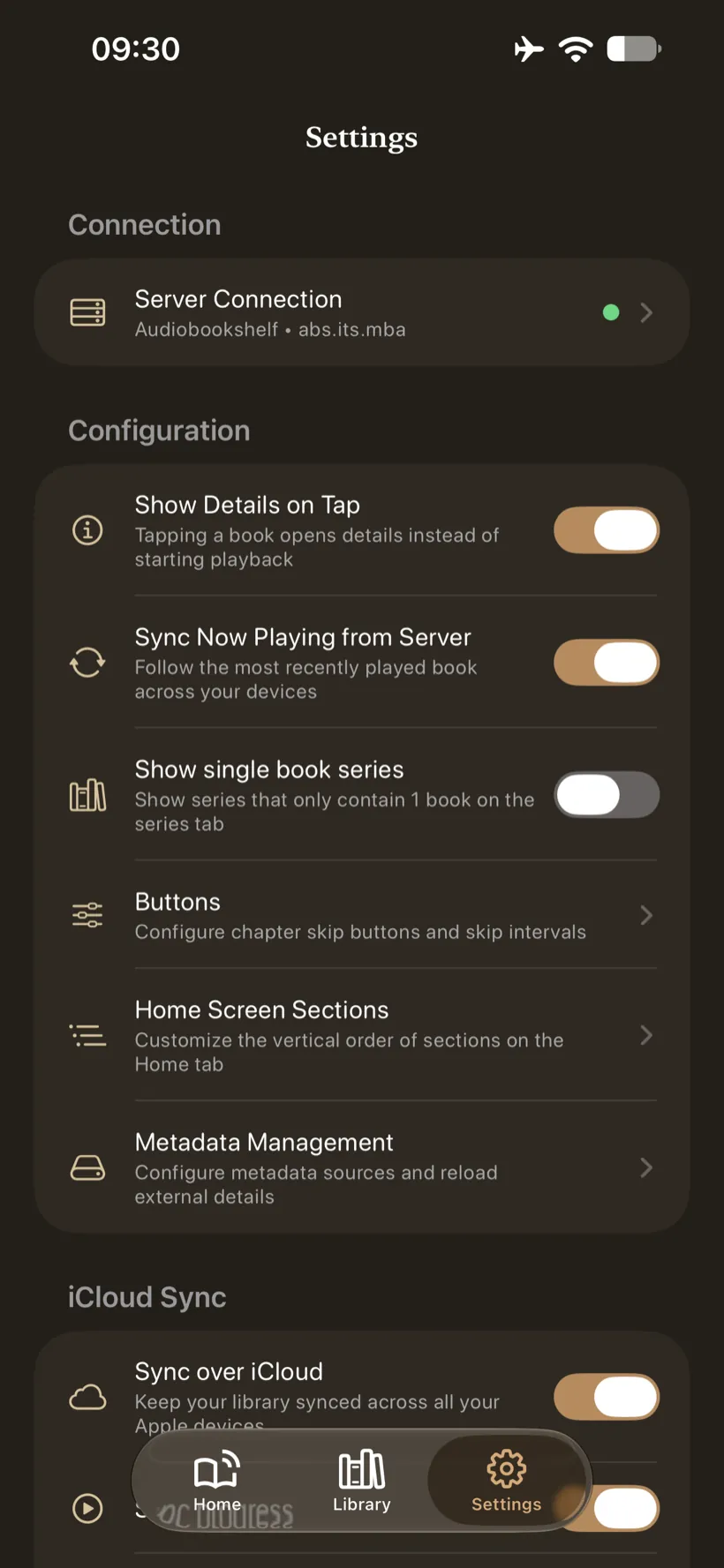
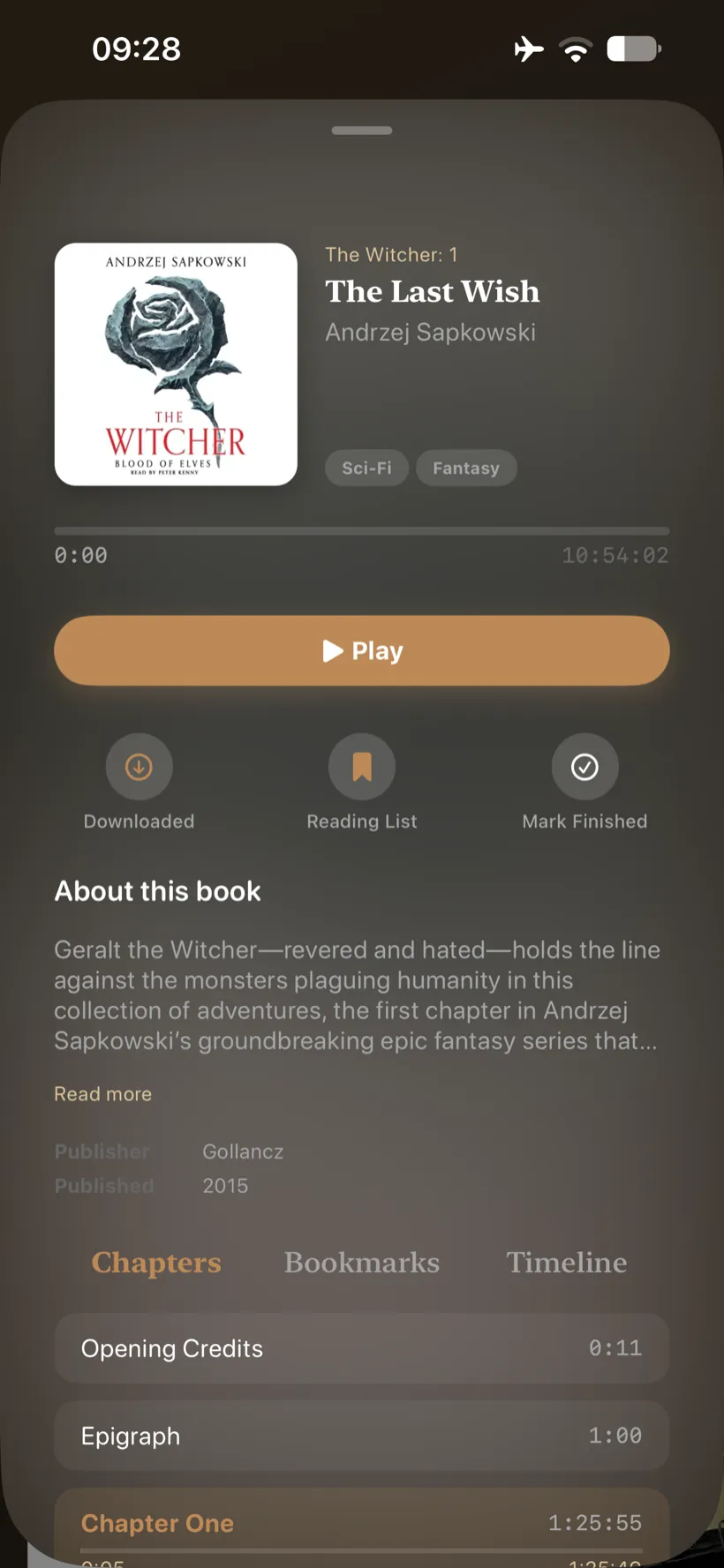
Say goodbye to rigid, sterile user interfaces. Volume uses Dynamic Cover Art color extraction to repaint the entire app theme in real-time based on the book you are currently listening to. Every book creates a unique, custom-tailored environment that reflects its tone.
"Undo Last Skip" (The Life-Saver)
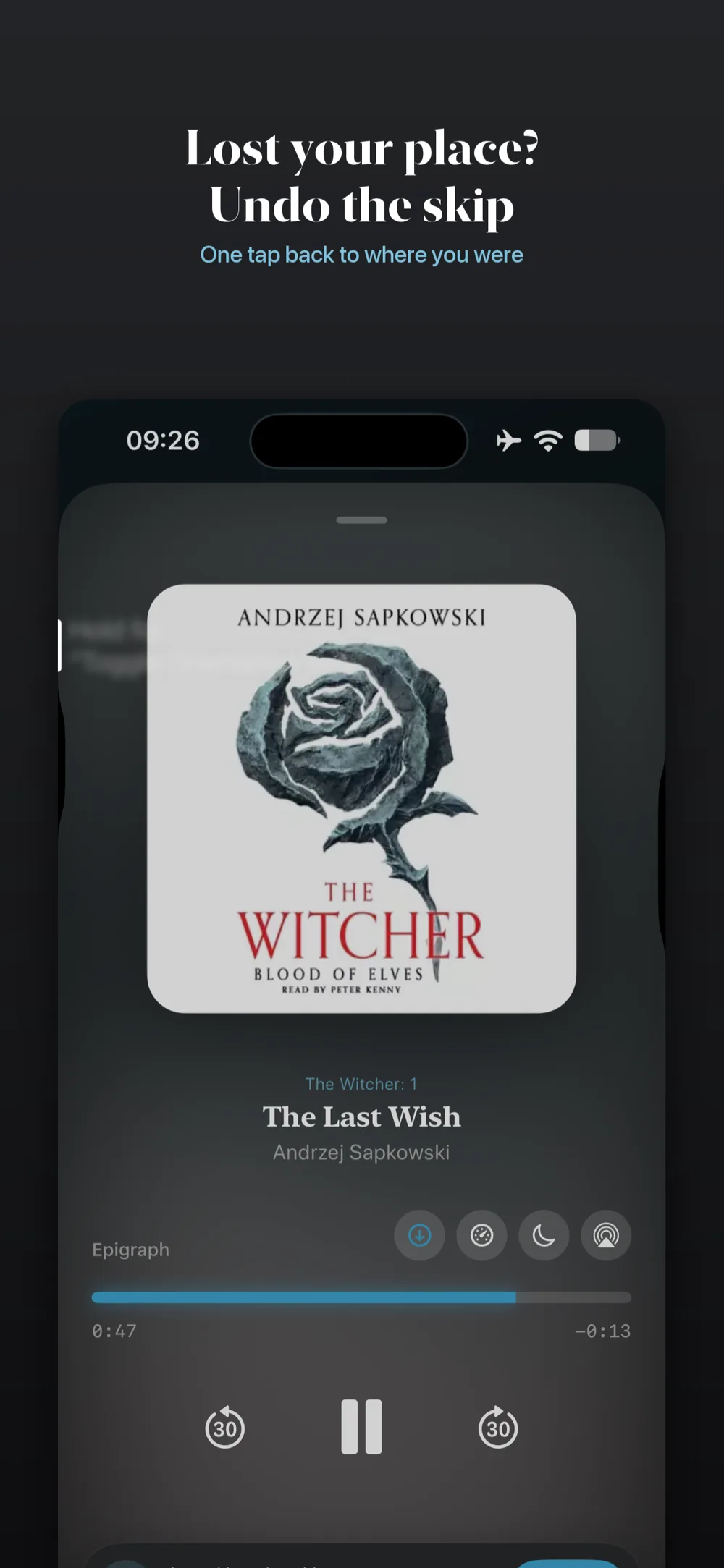
We’ve all accidentally hit the "Next Chapter" button or skipped 30 seconds ahead on a locked screen, losing our place and wasting minutes trying to find where we left off. Volume tracks your previous playback positions, allowing you to undo your last skip with a single tap and go right back to your exact spot.
Chromecast Audio Handshaking
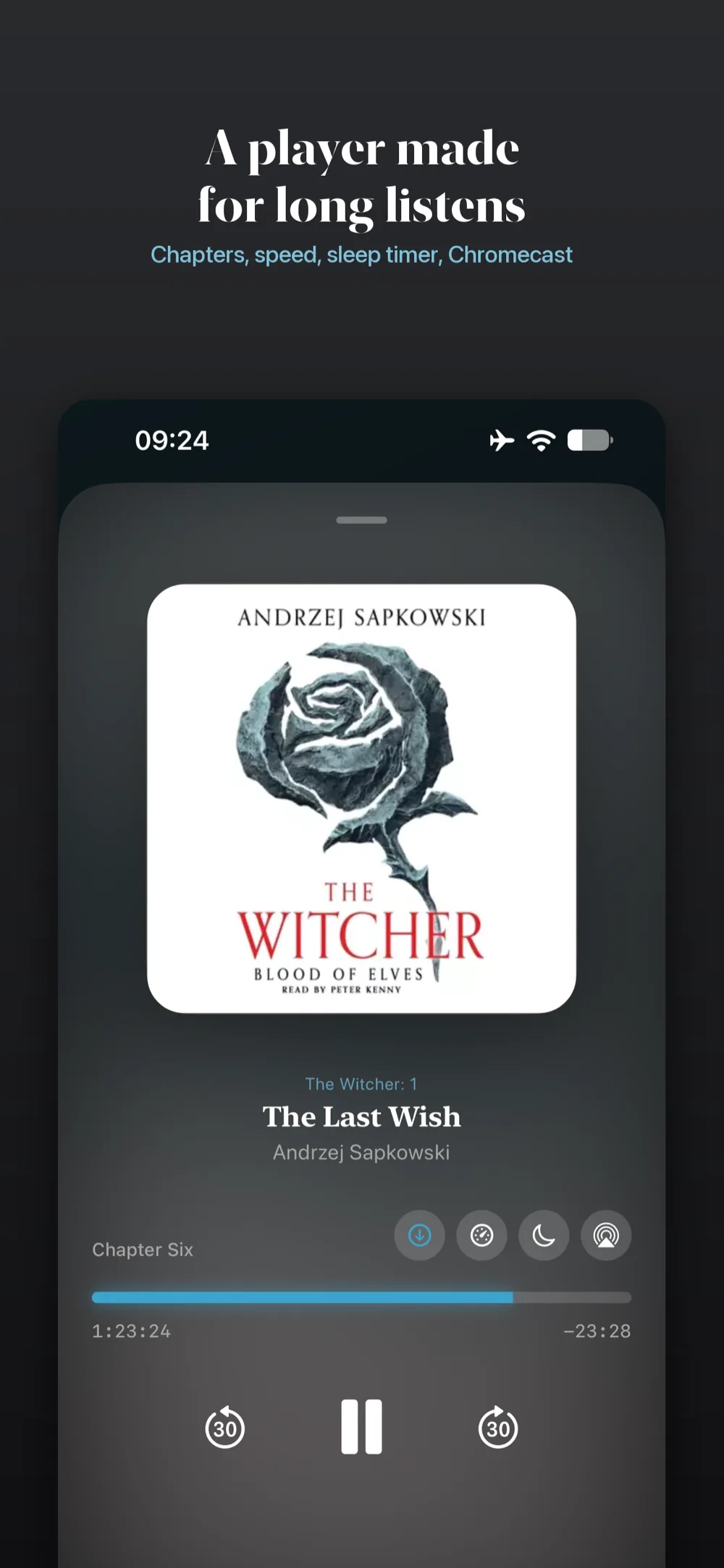
Volume handles device handshaking elegantly. If a Chromecast is nearby, the app establishes a handshake, instantly transferring your playback position and state. If the Cast session disconnects, it shifts back to local playback on your phone without losing a single syllable.
AirPlay, Straight from the Player
A route picker sits right in the transport controls, so a HomePod, Apple TV or any AirPlay speaker is one tap away. Your position and playback state travel with you, and handing back to the phone picks up without losing a single syllable.
Your Bookshelf, Anywhere
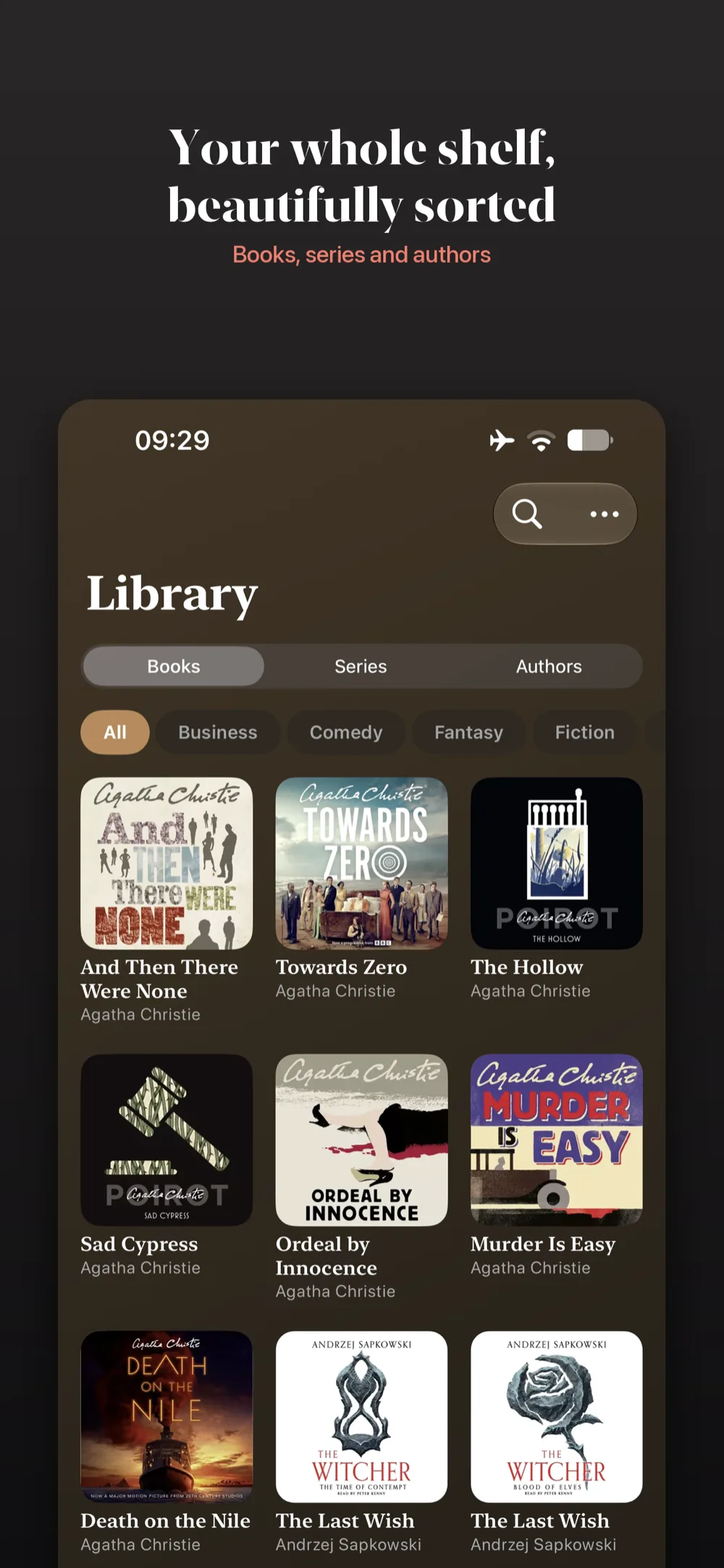
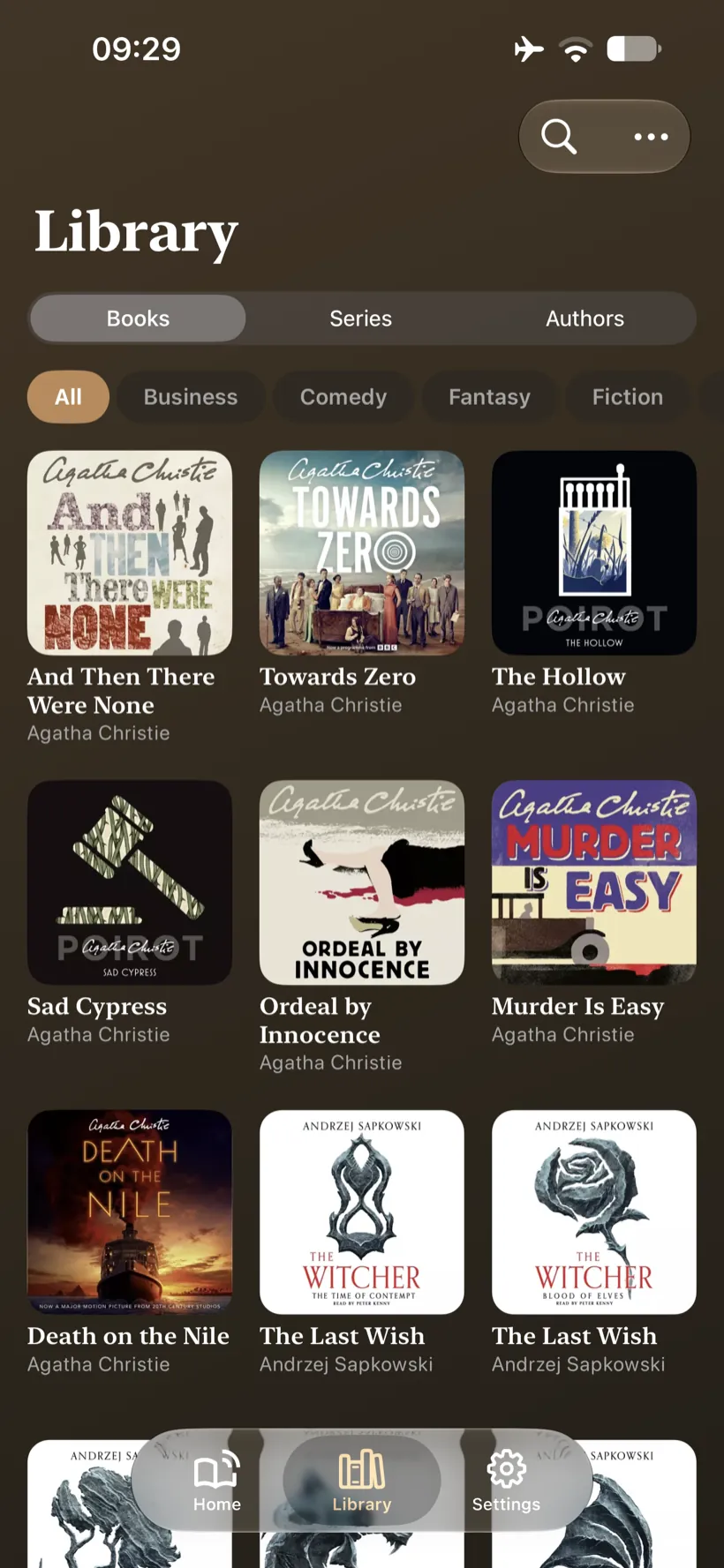
Bring server-side flexibility to a local client. Volume talks to Plex, Jellyfin and Audiobookshelf, so you can browse, search and stream your whole collection from whichever one you already run.
Customize your reading space with Grid Column Scaling, shifting from a clean single-column details list up to a dense 4-column cover art grid. Save books for the road with robust offline downloading, including full status and progress tracking.
Study, Annotate, & Never Forget
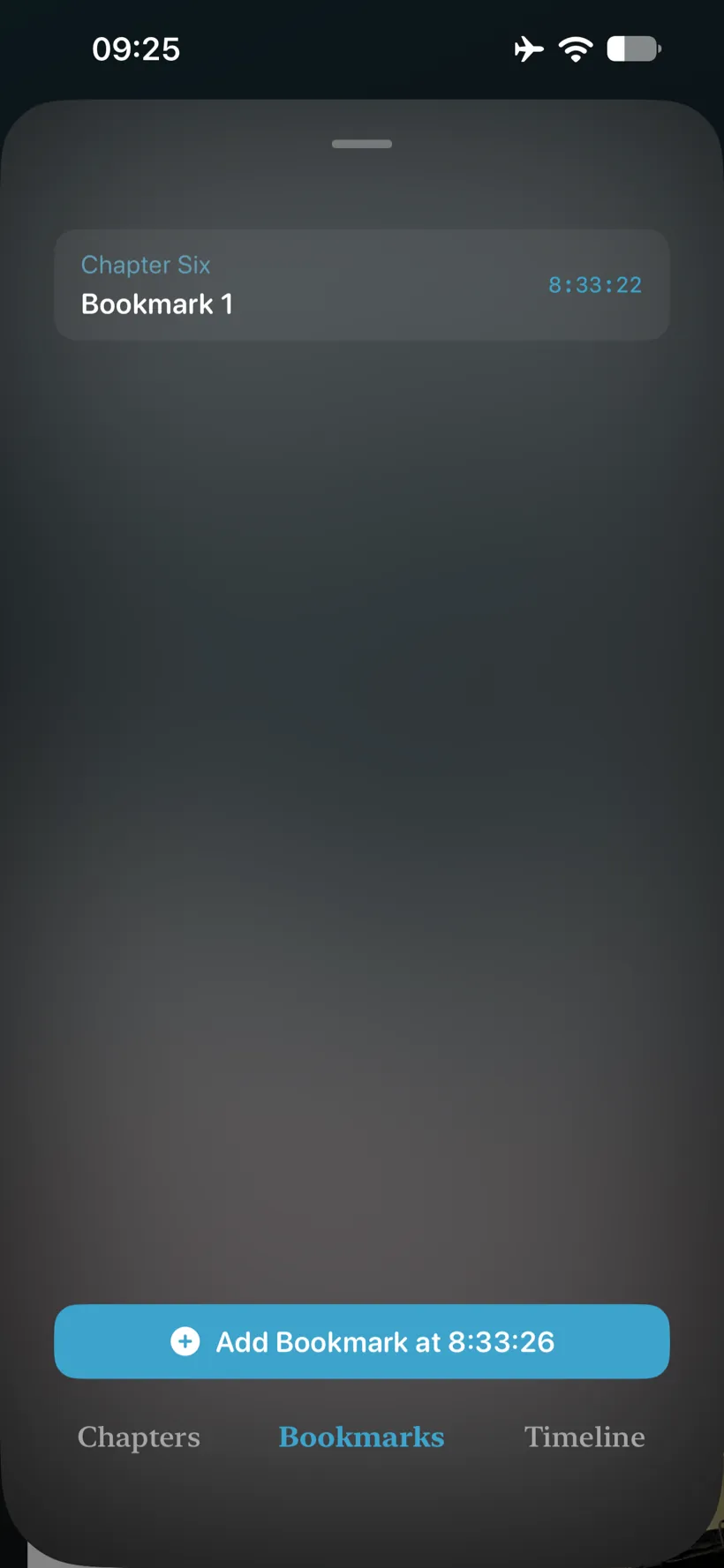
Volume elevates listening from passive consumption to an active reading experience. Take precise, timestamped annotations directly attached to playback positions—perfect for study guides, book clubs, or mapping out complex fiction.
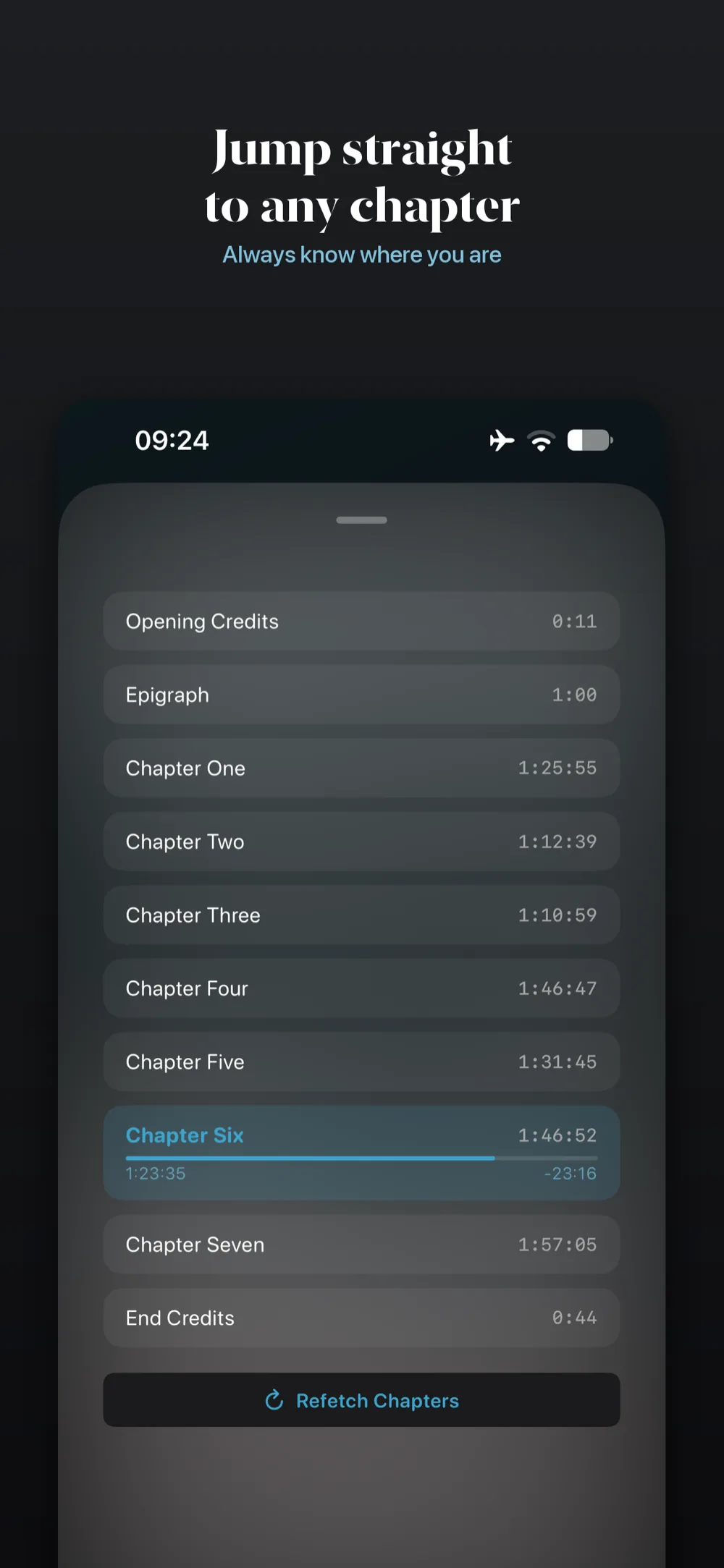
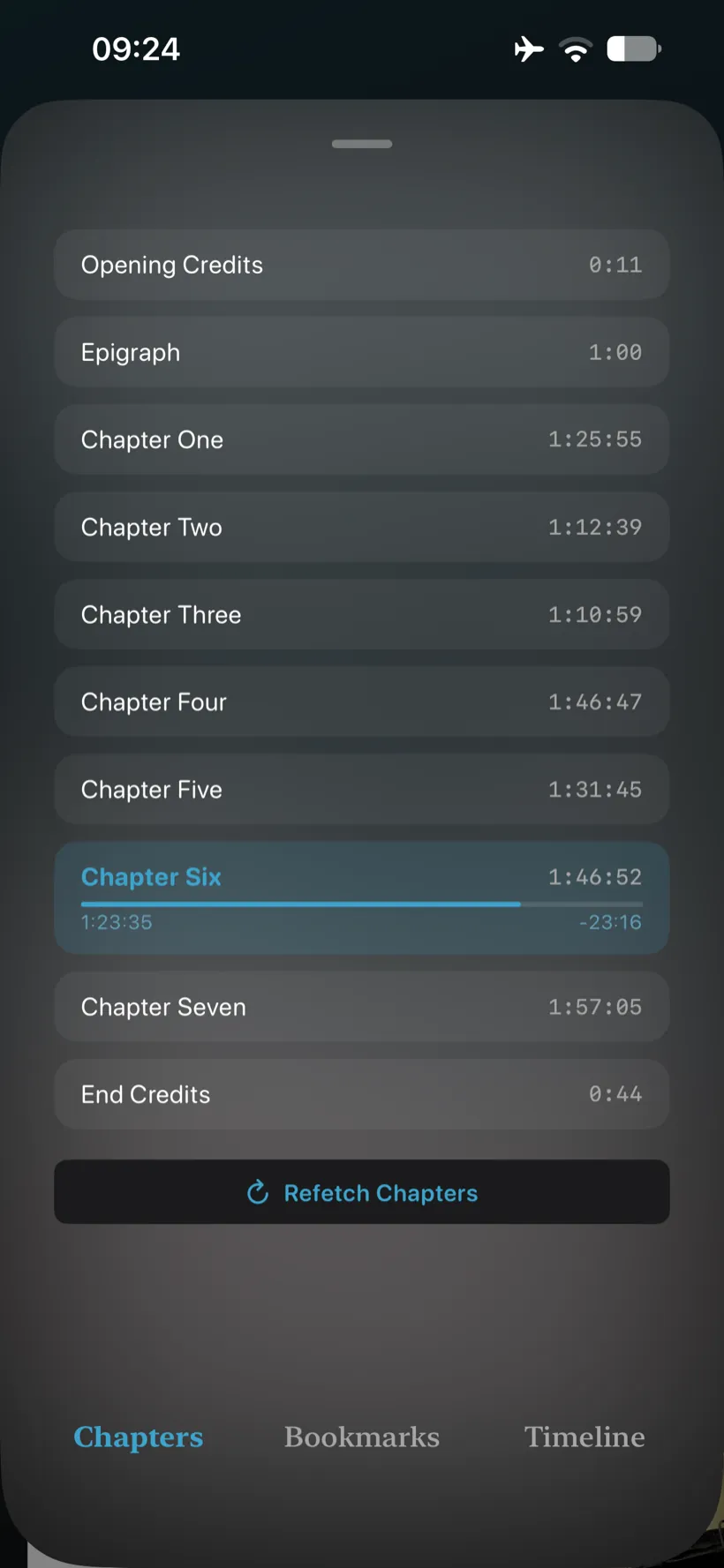
Drop visual bookmarks on the timeline to return to favorite passages, and track exactly how far you are through any chapter with granular progress displays designed for multi-part books.
More Features Built For You
Under-the-hood integrations and utility tweaks designed for absolute comfort.
Secure Plex OAuth
Integrates Chrome Custom Tabs to authenticate in-app without leaving the workspace. A secure login flow that remembers your settings.
Hands off to the system browser for sign-in, then returns you straight to the app with the token stored in the Keychain. A secure login flow that remembers your settings.
Smart "Skip Silence"
Automatically clips silent pauses and long gaps in narration. Keeps non-fiction, lectures, or slow narrations moving forward at a natural pace.
Chapter Progress
Displays duration and remaining time relative to the current chapter. Better context for when you will reach a logical stopping point.
Variable Speed
Fine-tune speed adjustments (from 0.5x to 3.0x). Consume podcasts, non-fiction, or speed-read books at your preferred pacing.
Smart Audio Focus
Automatically pauses or ducks audio when calls come in or navigation speaks. Prevents missing crucial narration during daily commutes.
Unplug Detection
Automatically pauses playback when headphones are disconnected. No embarrassing blaring audio when unplugging wired or Bluetooth audio gear.
What Volume Does Exceptionally Well
Designed under the hood to outpace generic audio solutions.
Speech Optimization
Volume uses Android's native Media3 and ExoPlayer libraries, configured specifically for the speech profile. This adjusts audio routing and pipeline priorities to deliver crisp, clear narration.
Volume drives AVPlayer through a spoken-audio AVAudioSession, so narration ducks, resumes and routes the way iOS expects — crisp and clear, at any speed.
True Background Playback
Designed around a decoupled MediaSessionService, playback stays rock-solid in the background, resisting aggressive task-killers and integrating cleanly with the lock screen, notifications and Android Auto.
Background audio runs through a dedicated session that survives app switching and screen lock, feeding the Lock Screen, Control Centre and CarPlay with full transport controls and chapter artwork.
Contextual Home UX
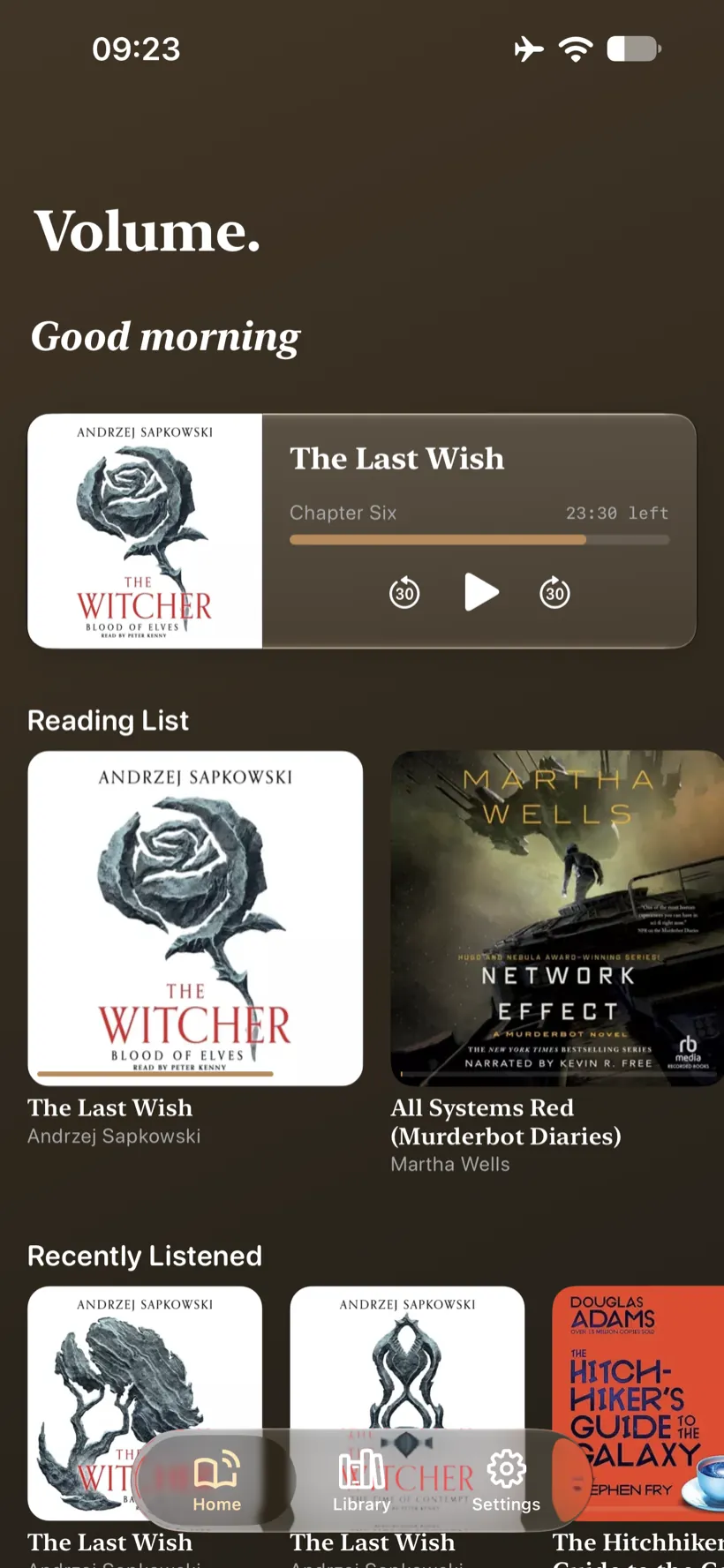
The home screen dynamically alters its layout based on what you are doing. It greets you contextually based on the time of day, presents a Continue Listening banner, and groups items by recency.
Technical Stack Highlights
Under the hood of the native iOS & Android applications.
Architecture & UI
Built natively for iOS (Swift & SwiftUI) and Android (Kotlin & Jetpack Compose). Clean separation between the User Interface Layer and Background Playback Services.
Media & Cast
Powered by Android Media3 and ExoPlayer, configured with custom media session actions. Full Google Cast SDK integration ensures reliable handshaking and playback migration.
Powered by AVFoundation and AVPlayer over a spoken-audio session, wired into MPNowPlayingInfoCenter and MPRemoteCommandCenter. AirPlay routing comes via AVRoutePickerView.
Networking
Uses OkHttp and Retrofit for robust Plex, Jellyfin and Audiobookshelf API communication, handling pagination, search queries, progress reporting and download pipelines.
Uses URLSession with Codable models for Plex, Jellyfin and Audiobookshelf API communication, handling pagination, search queries, progress reporting and download pipelines.
Threading
Harnesses Kotlin Coroutines and Flows for real-time progress syncing, database operations and reactive UI state updates with zero frame drops.
Uses Swift Concurrency with async/await and observable state for real-time progress syncing, storage operations and reactive UI updates with zero frame drops.
Ready to experience your library?
Download Volume for iOS or Android and take control of your self-hosted bookshelf.